
AI agent permissions should start with the least access an agent needs to complete a specific task. Give it permission to read before it can write, draft before it can send, and request approval before it can spend or make irreversible changes. The goal is useful automation within boundaries you can inspect and control.
A common pattern: a service business connects an agent to its inbox, calendar and customer records. The agent only needs to prepare replies, but its account also permits deleting messages, changing appointments and contacting customers without review. Those extra permissions create unnecessary risk.
This guide is for owners and operators connecting agents to business tools. I’ll cover permission levels, credentials, human approvals, activity logs and a pre-launch checklist.
Why do AI agent permissions matter more than chatbot instructions?
A chatbot produces an answer. An agent connected to tools can perform an action.
An incorrect chatbot response can be reviewed before someone acts. An agent with permission to send emails, edit records or change appointments may turn an incorrect decision into a real business action.
Its permissions define the blast radius: the systems and information it can affect if something goes wrong.
I separate four controls:
- Instructions: Define what the agent should do.
- Permissions: Restrict accessible systems and operations.
- Approvals: Require human decisions before sensitive actions.
- Logs: Show attempted and completed actions.
These controls complement each other. Instructions do not replace restricted access.
The OWASP Top 10 for LLM Applications 2026, released in August 2026, places excessive agency third, moving it up in the ranking.
Excessive agency means an agent has more authority than its task requires. It involves:
- Too much functionality: Tools expose unnecessary operations.
- Too many permissions: Credentials grant access beyond the task.
- Too much autonomy: Consequential actions proceed without appropriate human review.
A scheduling assistant might need calendar availability. It does not need permission to delete appointments, change account settings or access unrelated records.
The starting question is simple: What is the minimum access this task requires?
What permission ladder should an agent follow?
I use a practical permission ladder: read, draft, act, spend.
Each level introduces additional authority. Moving upward should require a business reason, evidence from testing and appropriate approval.
| Permission level | What the agent may do | Approval needed | Example |
|---|---|---|---|
| Read | View narrowly scoped information | Owner approves access during setup | Check calendar availability |
| Draft | Prepare changes without applying them | Human reviews before execution | Draft a customer reply |
| Act (reversible) | Make limited changes that can be undone | Preauthorized scope; exceptions reviewed | Create an internal task |
| Act (irreversible/external) | Send, delete, publish or make consequential changes | Explicit approval before execution | Send a customer email |
| Spend | Initiate a financial commitment | Explicit approval for the specific action | Submit a supplier payment |
The ladder is not a measure of sophistication. A useful agent may remain at read or draft.
I would introduce permissions in this order:
- Define the task: Identify the required business action.
- Start with reading: Permit only necessary information access.
- Introduce drafting: Review outputs before execution.
- Test reversible actions: Allow narrowly scoped changes where justified.
- Require approval: Keep external, irreversible and financial actions behind human decisions.
- Review evidence: Examine logs and failures before expanding access.
I would remove permissions when the task no longer requires them.
For small businesses, the question is not how much the agent could do. It is how much authority the owner needs to grant for a specific workflow.

How do you scope credentials without giving agents admin access?
An agent’s credentials determine what connected systems will permit.
I prefer a dedicated service account per agent, restricted to its assigned responsibilities.
My starting rules are:
- Separate identities: Avoid shared staff credentials.
- Narrow scopes: Restrict records, folders, calendars and operations.
- No shared admin logins: Keep administrative privileges outside routine workflows.
- Separate environments: Use different credentials for testing and live operations.
- Limited tool functions: Expose only necessary operations.
- Access reviews: Recheck permissions when responsibilities change.
A dedicated account is not automatically restricted. Access to an entire customer database may still provide excessive authority.
I distinguish between restrictions enforced by the connected service and restrictions inside the agent application. Both matter.
Removing a delete button does not remove deletion permission if another available tool can perform the operation.
I would document each connection with practical questions: What can this account read? What can it change? What can it send? Who can revoke it?
For owners considering AI agents and automation services, these questions belong in the initial setup discussion.
A permissions review should examine the underlying account, not just the agent’s instructions.
Connecting an agent to live systems soon?
I can review its credentials, access boundaries and approval points before it goes live.
When should a human approve an agent’s action?
I place approval gates before actions affecting external recipients, important information or changes that are difficult to reverse.
Sending messages, deleting records, publishing content and authorizing payments require more scrutiny than reading information or creating drafts.
An approval request should include:
- Proposed action: What the agent intends to do.
- Target: Which recipient, record or account is affected.
- Content: What will be sent, changed or submitted.
- Reason: Why the agent proposes the action.
- Decision: A clear approve or reject option.
Approval must occur before execution. A notification afterward is not an approval gate.
Rejected actions should stop rather than automatically repeat.
Human approval for ai agents matters when requests are unclear, sensitive or outside normal scope.
I built an AI voice agent for service businesses with a human-handoff path on low confidence, escalation rules per call type, and a voicemail-plus-callback fallback. I describe that build in the AI voice agent case study.
The principle applies beyond voice workflows: an agent does not need to complete every interaction independently.
A person may handle unusual customer requests, sensitive decisions or unclear commitments better.
Approval gates introduce delays and staff responsibilities. I consider that a reasonable trade-off for actions requiring judgment.
Why can’t instructions alone prevent unsafe tool use?
An agent may encounter instructions hidden inside material it should process as data.
An email, document or retrieved page might attempt to redirect its behavior. This is prompt injection.
According to OWASP LLM01:2026 Prompt Injection, when model output drives tool calls, the potential impact extends to whatever those tools can reach.
Prompt injection remains the top risk in OWASP’s 2026 LLM list. OWASP states that no reliable prevention exists today, making controls outside the model essential.
I would enforce boundaries through the surrounding application:
- Restricted credentials: Limit accessible data and operations.
- Constrained tools: Keep unnecessary functions unavailable.
- Approval gates: Require authorization for consequential actions.
- Output restrictions: Control where generated content can be sent.
- Revocation: Allow operators to disable access.
Picture an agent reading a document instructing it to email private records elsewhere.
If its credentials provide read-only access and no sending capability, the attempted redirection has less room to cause harm.
That does not prevent prompt injection. It limits what the agent can accomplish if it follows malicious instructions.
I treat this as a system design problem rather than relying entirely on prompt wording.
For further reading, OWASP publishes the Top 10 for Agentic Applications 2026, addressing security risks specific to agentic systems.
What logs, limits and stop controls should you configure?
Permissions define allowed actions. Operational controls show what happens.
Before launch, I would decide who reviews activity and who can stop the agent.
An activity log should capture:
- Tool: Which operation was used.
- Action: What the agent attempted.
- Target: Which resource was affected.
- Approval: Whether a person authorized it.
- Outcome: Whether execution succeeded or failed.
Logs need access restrictions. They should not unnecessarily expose customer information.
I would also configure:
- Rate limits: Restrict operation frequency.
- Spend limits: Bound paid-resource usage and financial authority.
- Action limits: Control repeated sends, changes and retries.
- Alerts: Notify operators about unusual activity.
- Kill switch: Stop further actions and revoke relevant access.
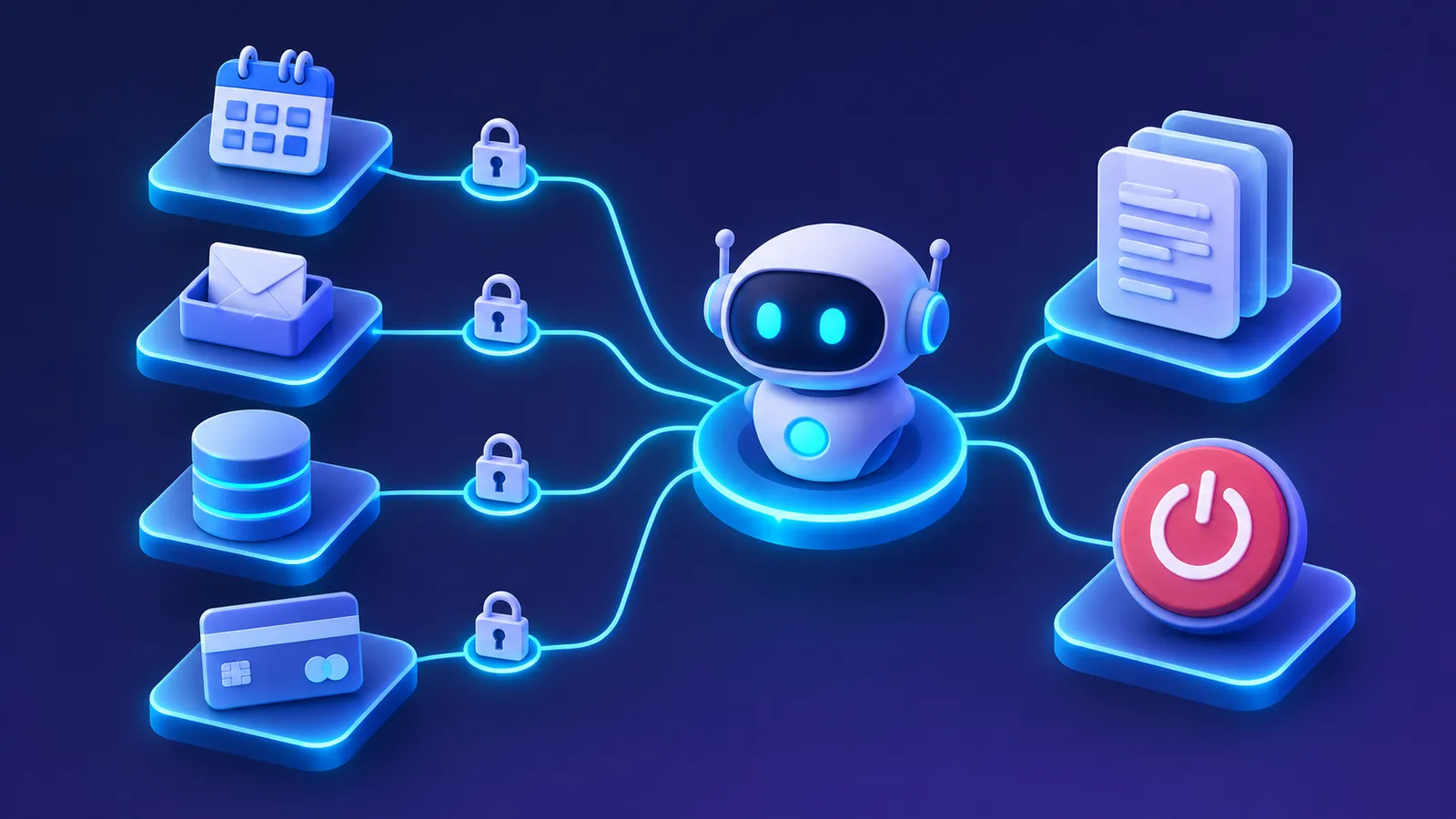
A stop control must affect execution, including pending work. It cannot undo changes already completed in external systems.
I would assign customer-facing reviews to a business operator and technical failures to the responsible administrator.
My earlier article on operating and controlling AI agent economics discusses managing agent operations and resource use.
For governance planning, the NIST AI Risk Management Framework provides a useful reference.
This also relates to NextCTL’s AI governance work.
The objective is straightforward: know what the agent can do, observe its actions and retain human authority to interrupt it.
What should you check before connecting an agent to live systems?
I would review this checklist before launch and whenever an agent receives additional access.
- Defined purpose: Document the exact permitted task.
- Permission level: Choose the lowest appropriate level.
- Dedicated identity: Use a separate service account.
- Narrow access: Restrict resources and operations.
- Environment separation: Keep test and live credentials separate.
- Approval gates: Require review before sending, deleting, publishing or paying.
- Fallback path: Define when the agent stops or requests help.
- Activity logs: Record actions, approvals, outcomes and failures.
- Usage boundaries: Configure rate, action and spend limits.
- Stop control: Verify actions can be disabled and access revoked.
- Review ownership: Assign responsibility for exceptions and permission changes.
I would test boundaries, not just successful workflows.
A normal request should complete within assigned permissions. An unauthorized request should be blocked or routed for review.
This checklist does not prove an agent is safe. It makes access decisions explicit and easier to inspect.
For small businesses, clear boundaries help operators retain control without supervising every routine step.
Key takeaways
- Give agents only the permissions their tasks require.
- Start with reading and drafting before changing live systems.
- Restrict credentials and tools instead of relying on instructions.
- Require human approval for consequential external, irreversible and financial actions.
- Maintain logs, usage limits and a stop control with clear human ownership.
If you want your agent’s permissions reviewed or set up with approvals and logs, Book a conversation. You can also subscribe to The Production Notes using the signup box below this post for more practical notes on building and operating AI systems.
FAQ
What are AI agent permissions?
AI agent permissions define which connected systems, records and operations an agent can access. They differ from instructions describing what the agent should do. For example, an agent may have permission to read calendar availability and draft messages without being allowed to delete appointments or send communications independently. The purpose is to match technical access to the assigned business task.
Should an AI agent use an administrator account?
No. I recommend a dedicated service account with narrowly scoped permissions wherever the connected system supports it. A shared administrator account may expose unrelated records, settings and operations. Separate credentials make it easier to review activity, restrict access and revoke an agent’s permissions without disrupting a staff member’s normal account.
Do AI agents need human approval for every action?
No. Reading authorized information or preparing drafts generally does not require individual approval for every operation once access has been granted. I would require explicit approval before consequential external actions, irreversible changes and financial commitments. The appropriate boundary depends on the task, its potential impact and whether a mistake can be corrected.
Can least privilege stop prompt injection?
No. Least privilege does not prevent an agent from encountering or following malicious instructions. It restricts what the agent can do if that happens. An agent with read-only credentials cannot use those credentials to modify records. I would combine restricted permissions with limited tools, human approvals, logging and revocation controls rather than treating instructions as a complete defense.